Overview
About
Roboshift is a web-based AI tool that helps teams work with data quickly through a chat interface.
Users can upload files and ask the AI to clean, transform, compare, or validate data in seconds.
My role
I worked on this project as a Product Designer from November 2024 to July 2025.
My responsibilities included user research, UX design, prototyping, and building the design system. I also collaborated closely with engineers and stakeholders to shape the product experience.
Product Designer (me)
Frontend Developers
Backend Developers
Marketing
Product Owner
Stakeholder
Business model pivot
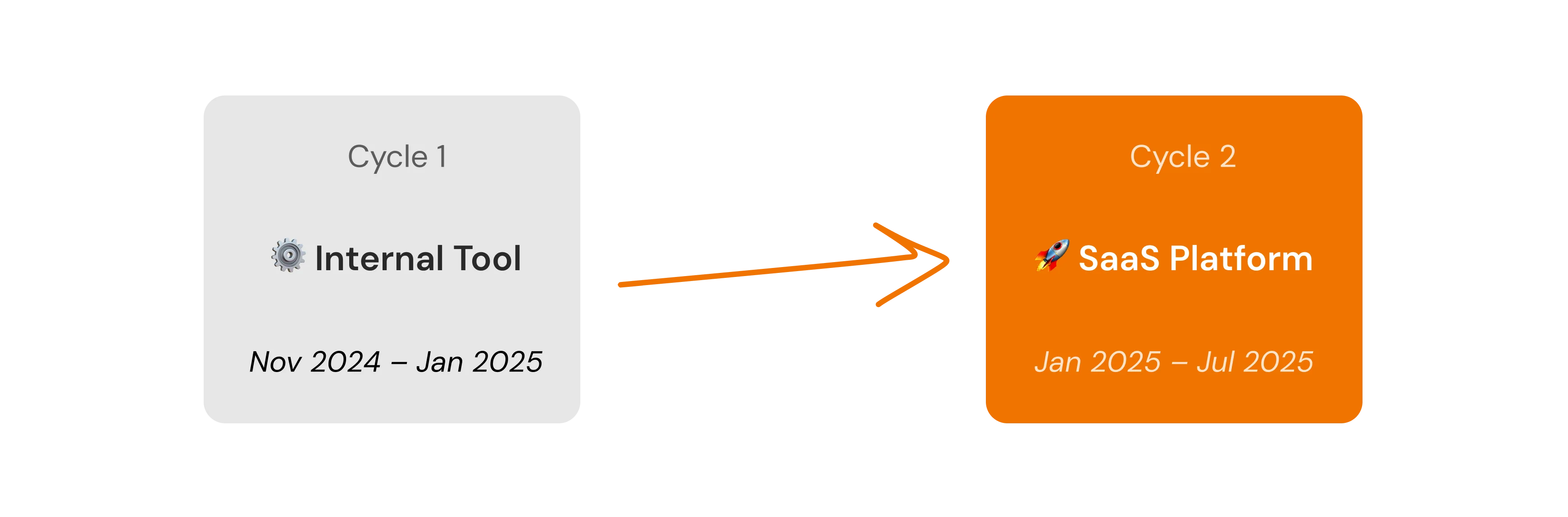
During the project, the product went through two development cycles with different business models.
Where it started
Cycle 1 — Internal tool
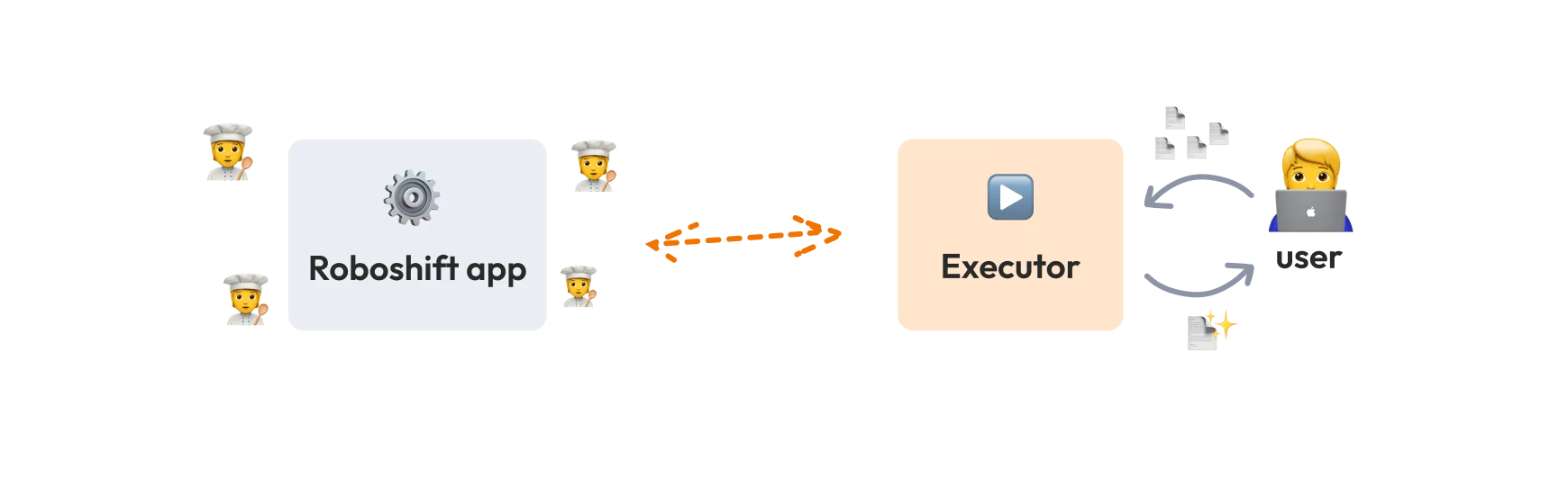
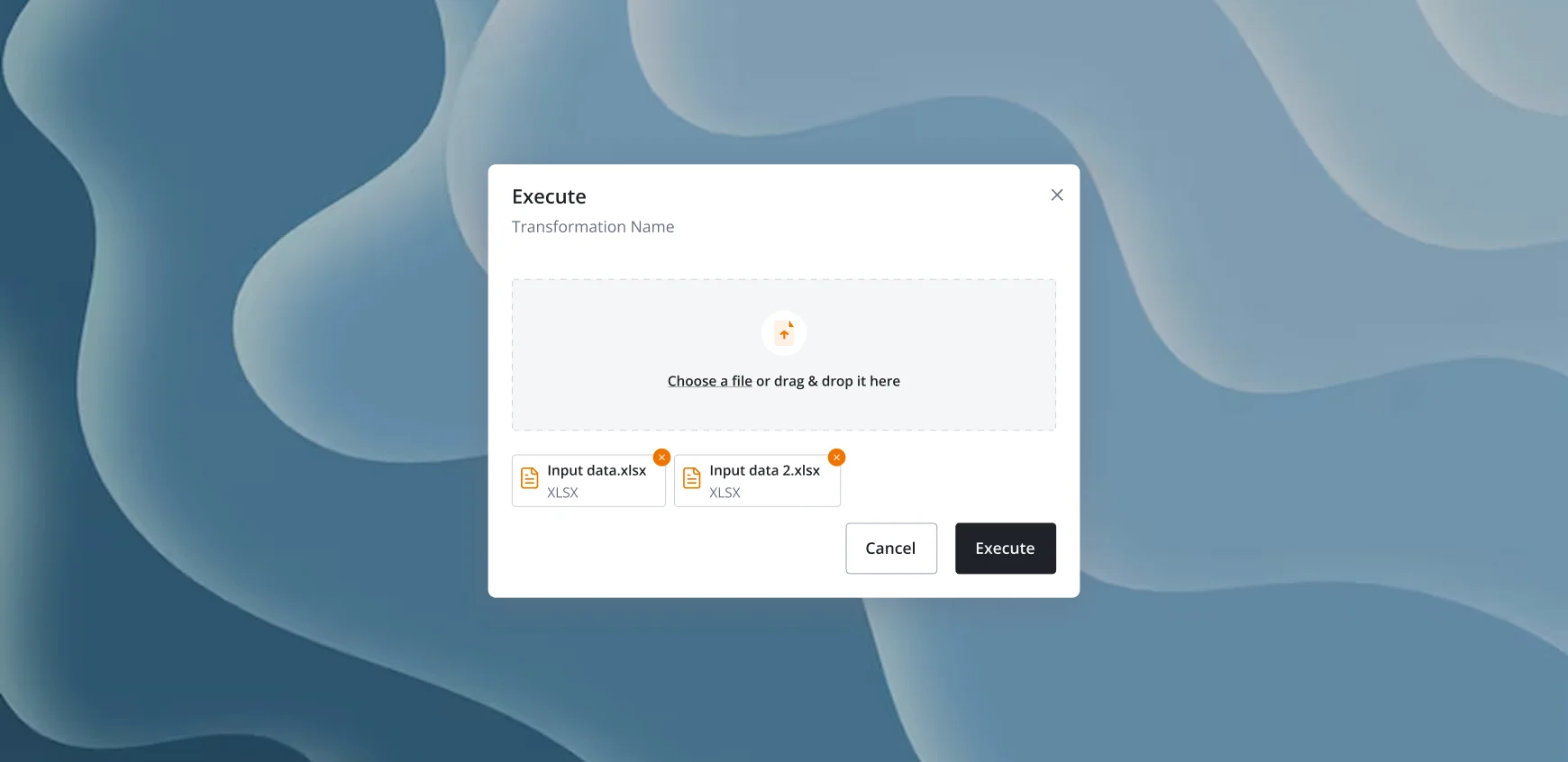
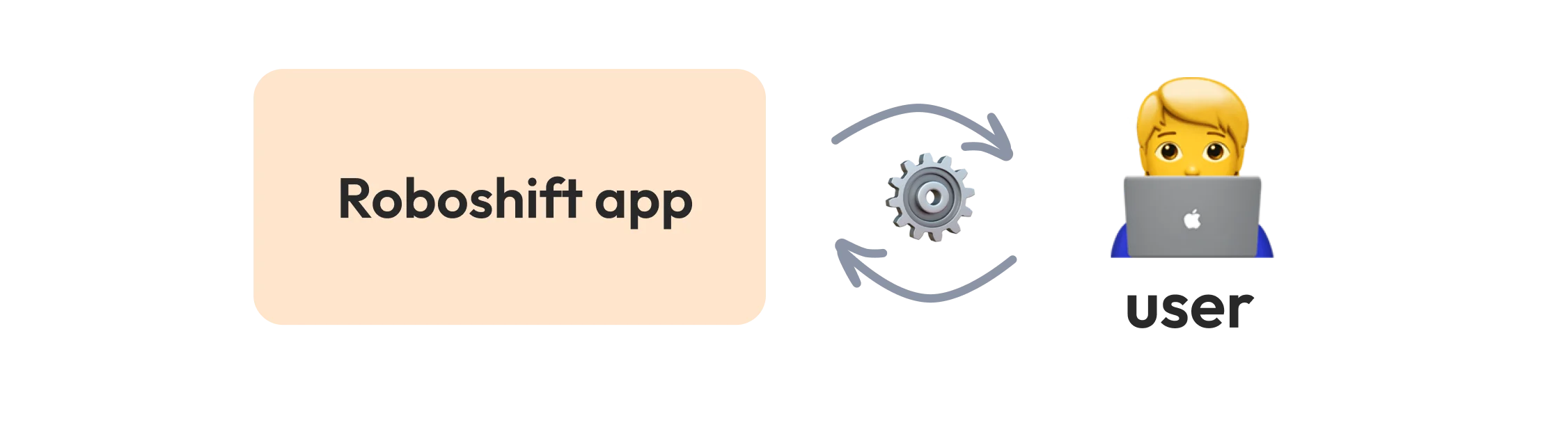
Initially, Roboshift was intended as an internal tool where our team would configure the transformations and users would have access to a client application where they could upload files and export the transformed results.
Early version of the product
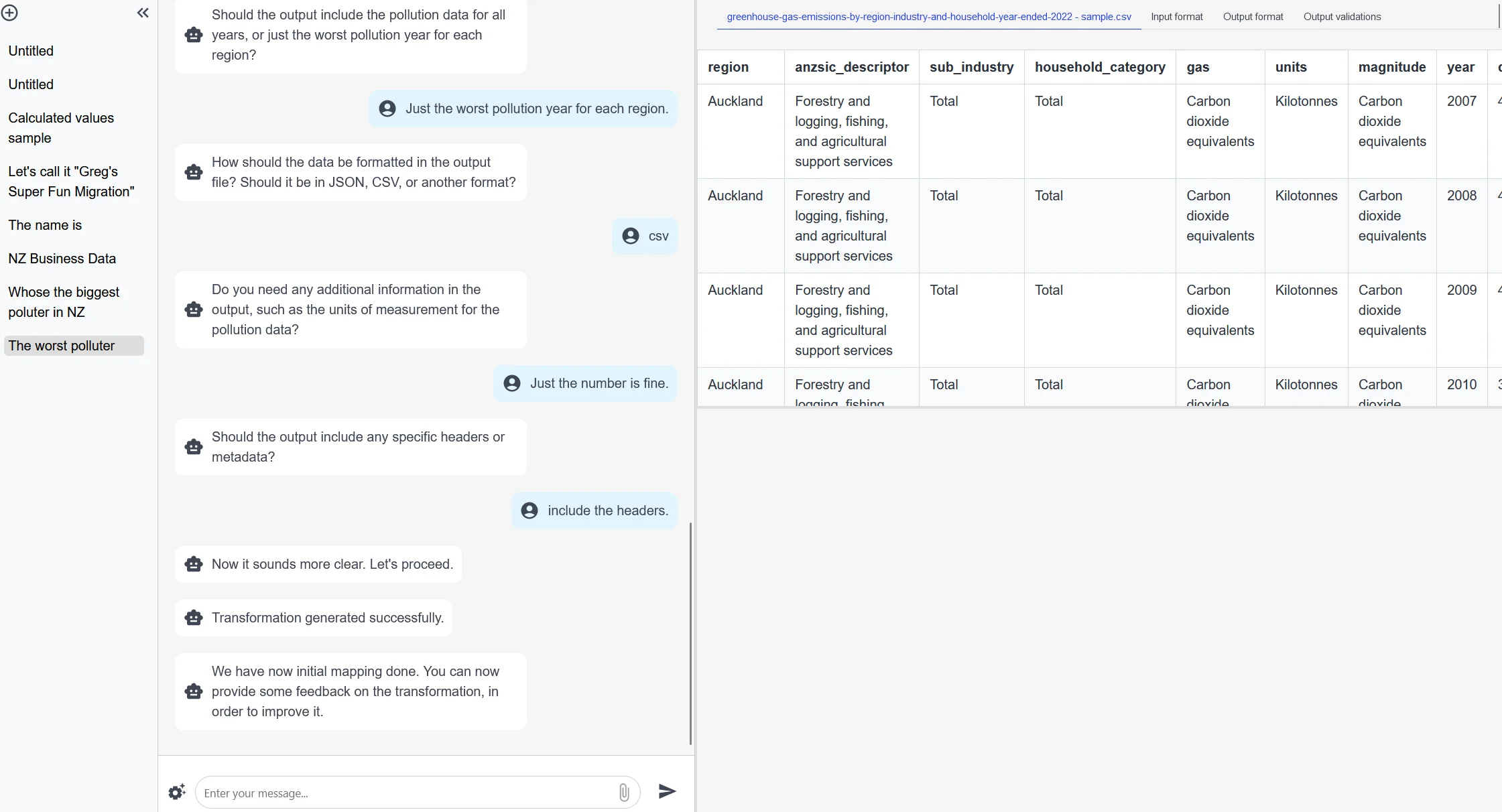
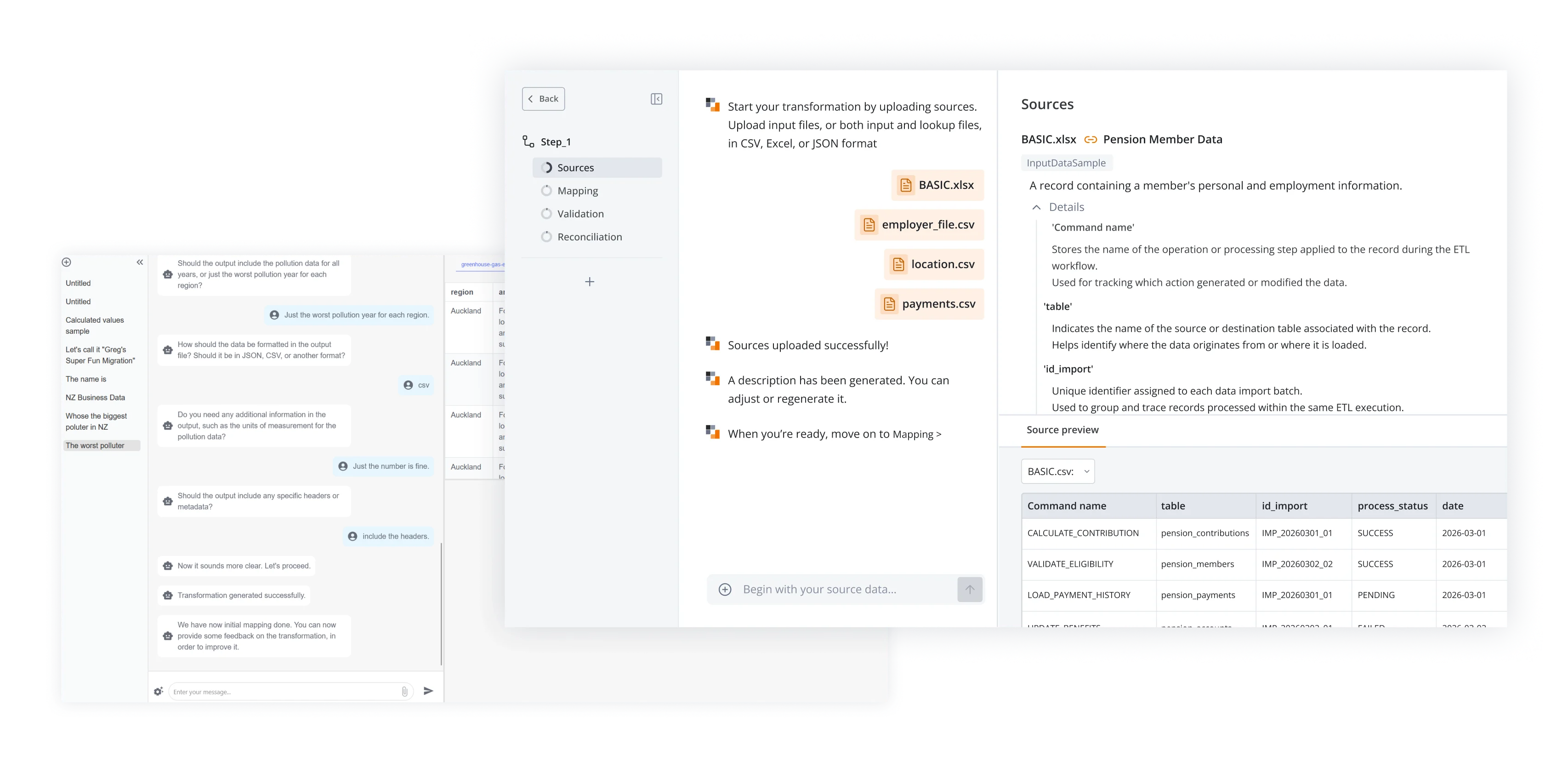
When I joined, the product already existed but was still at an early stage. It allowed users to perform simple data transformations through a chat interface.
Workflow
Since the workflows were configured internally, UX complexity was lower and most testing was done within the company with team members who would operate the tool.
A potential client was a pension services company that manually converted large datasets into required formats.
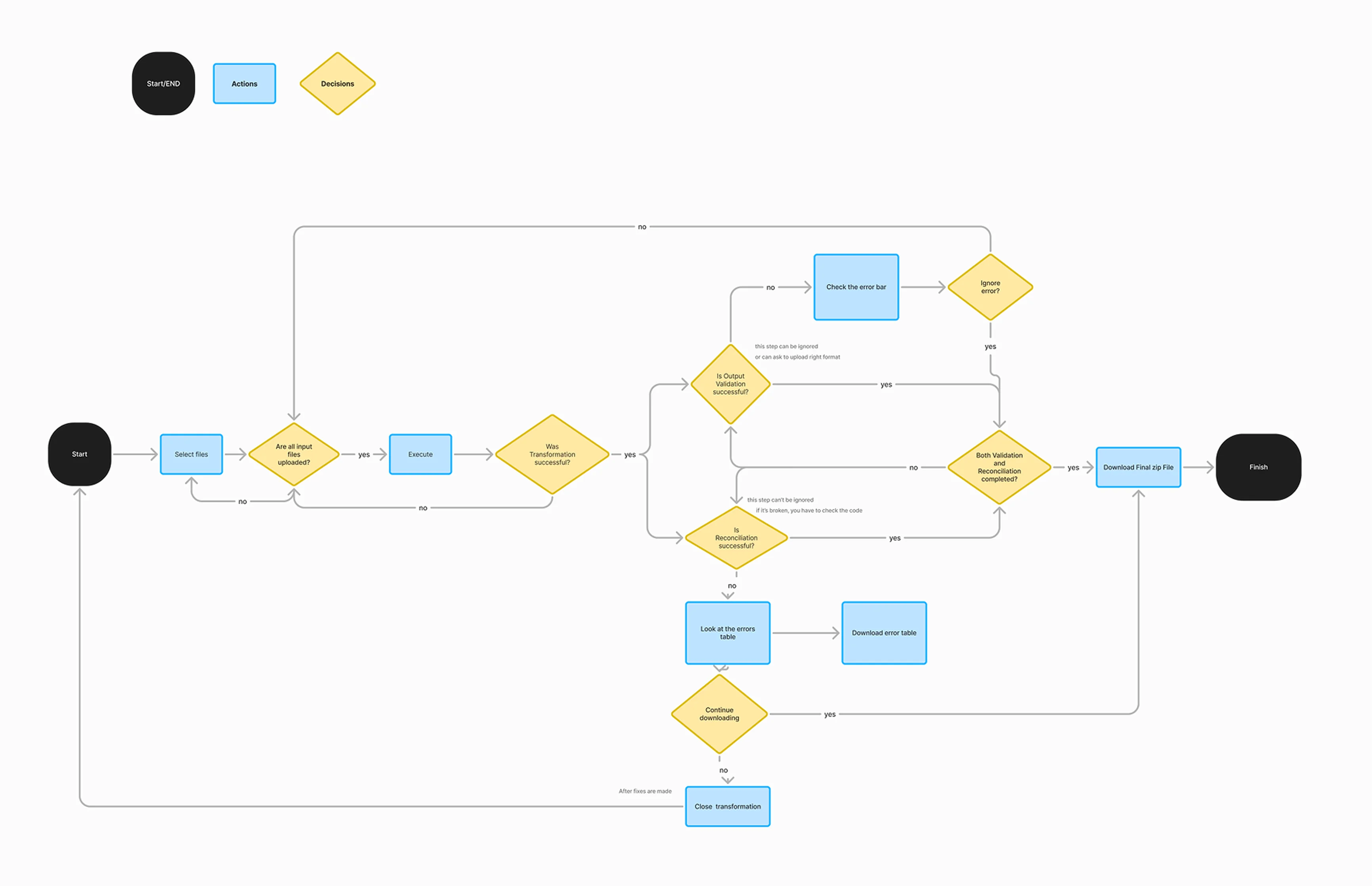
Based on these insights from the stakeholder and team, I created the initial user flow for the executor application, focusing on key steps.
The flow was then reviewed and refined with the team before moving into UI design.
Could be better
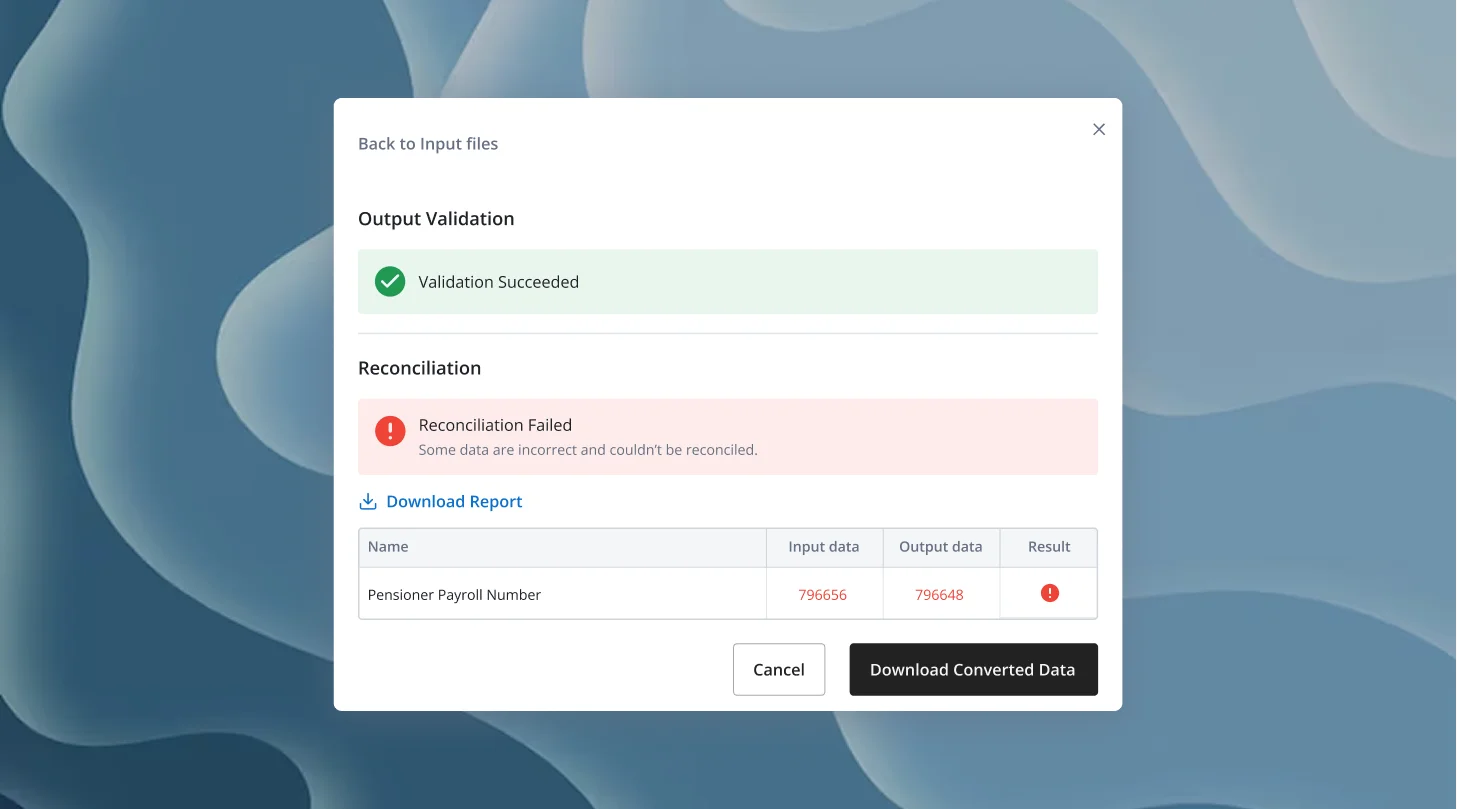
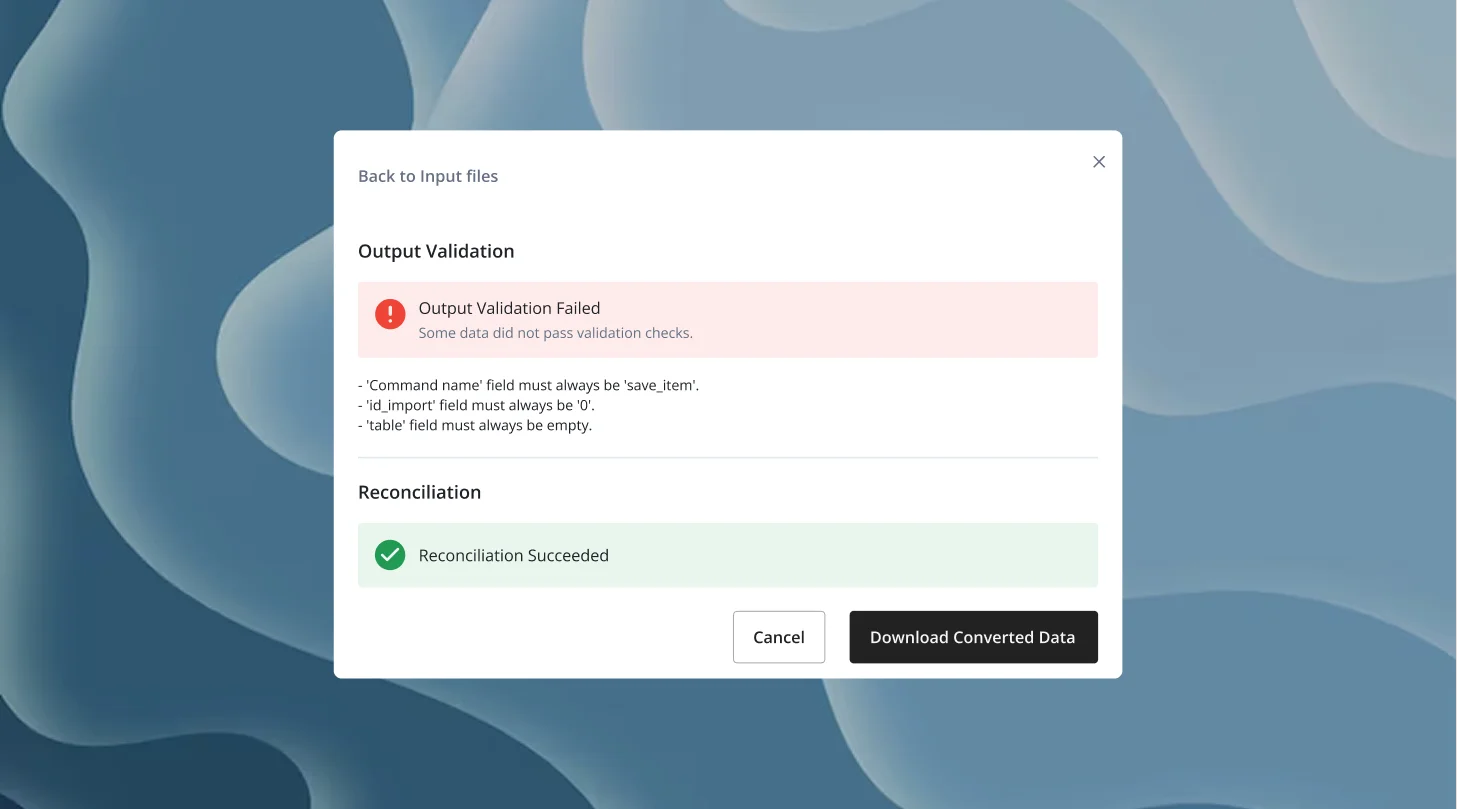
However, this model created operational challenges. If errors occurred on the client side, the internal team had to manually adjust configurations, which slowed down the process and limited flexibility for users.
Product pivot
Cycle 2 — SaaS Platform
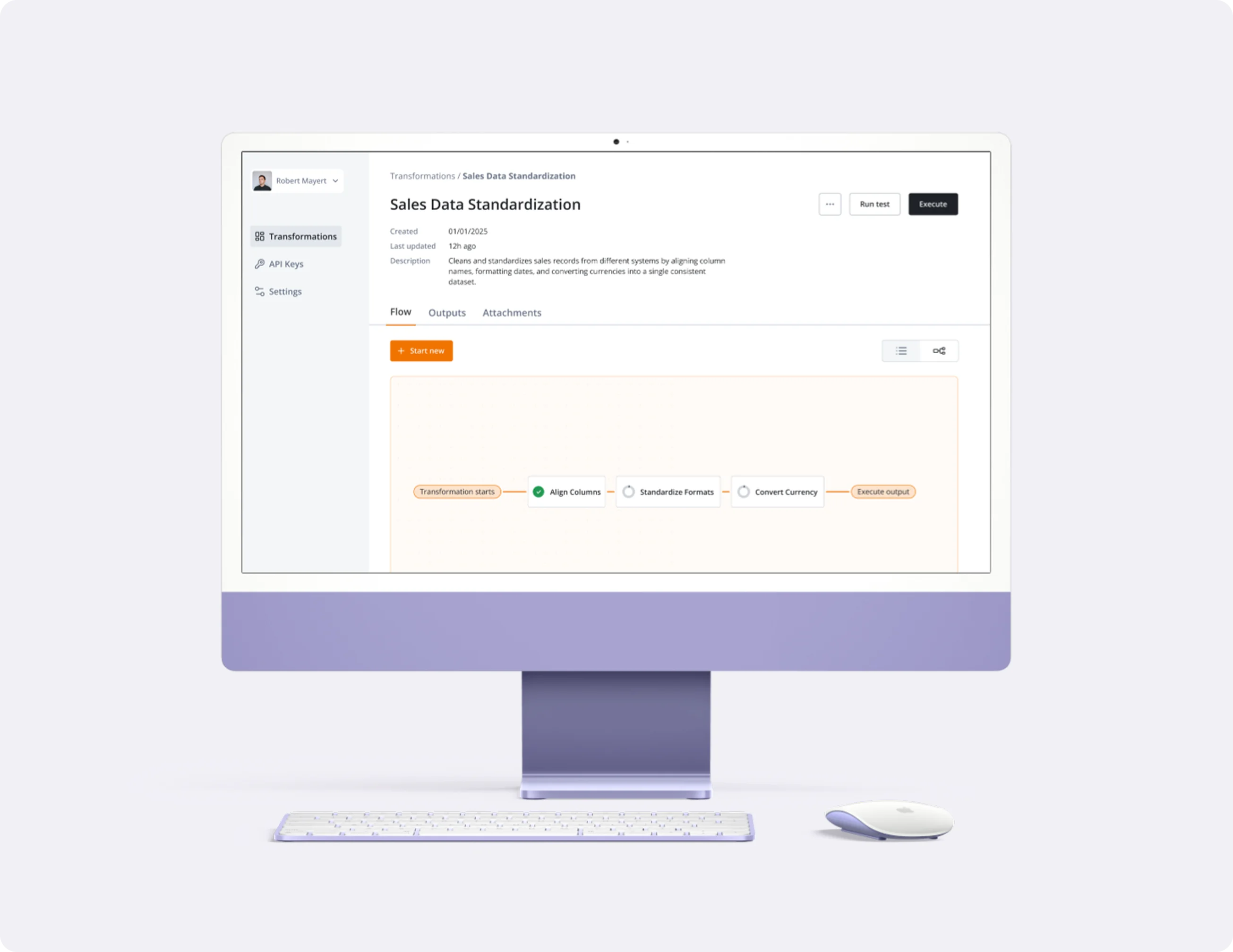
After several months, stakeholders decided to evolve Roboshift into a SaaS platform where users could create and manage their own data transformations directly.
Discovery
New strategic goal
Transform the internal product into a scalable self-service SaaS platform.
Key requirements
- Enable users to create transformations themselves, not rely on internal setup
- Design for non-technical users, while supporting advanced workflows
- Improve visibility and control over the transformation process
- Build a scalable UI foundation to support future product growth
User research
Based on research conducted by the team, we identified key industries that frequently deal with data transformations, which helped us define potential user groups.
- Business & data analyst
- ETL user
- Risk & Compliance
- Financial reporting specialist
Competitor research
To better understand the market and existing solutions, we analyzed several data transformation and ETL platforms, including AWS Glue, Fivetran, Matillion, and Talend.
These tools allow companies to extract, transform, and load data between different systems and data warehouses.
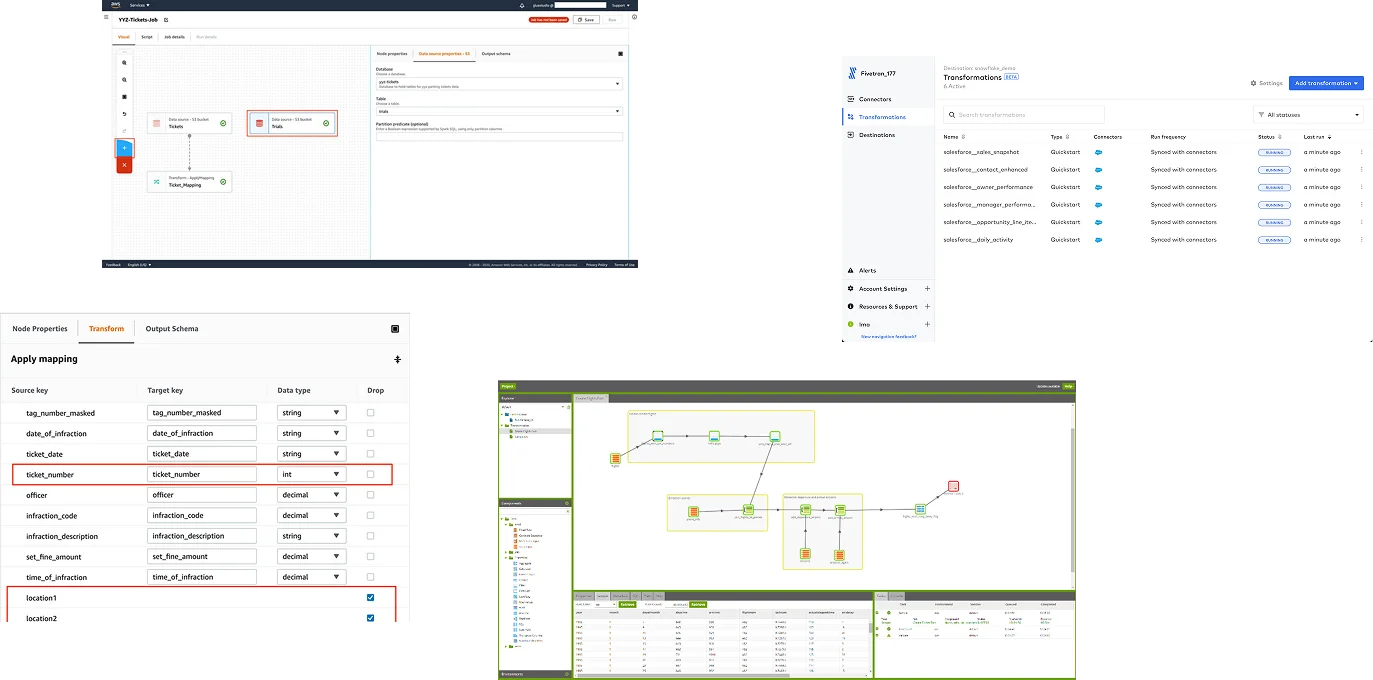
Key insights:
- No chat-based interaction
- Too complex
- Pipeline visualizations
- Data source connectors
Key insights:
- No chat-based interaction
- Too complex
- Pipeline visualizations
- Data source connectors
Defining the experience
Design sprint
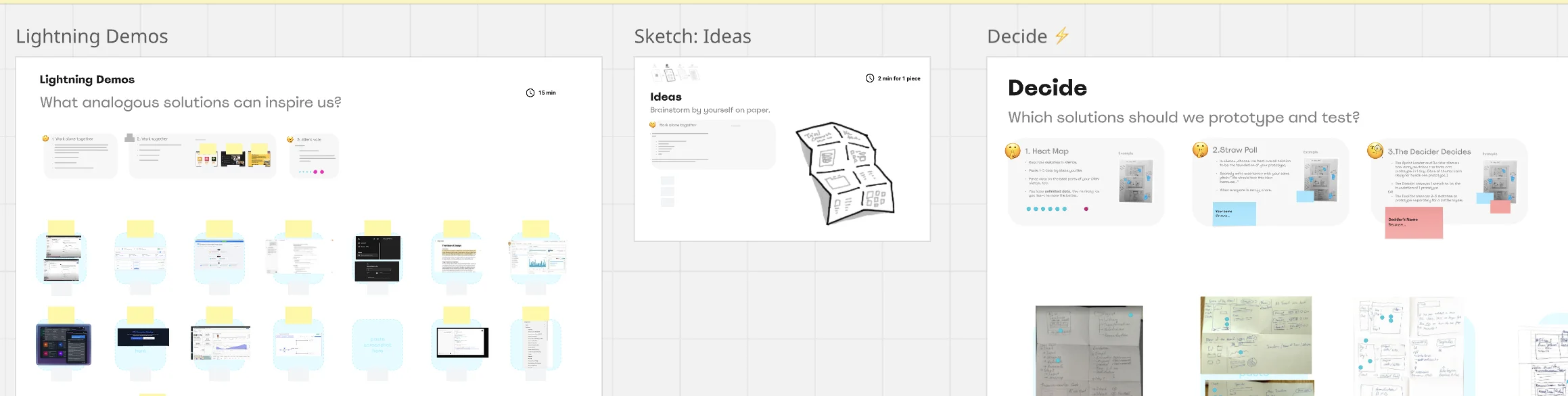
To support the new SaaS model, I led a design sprint with the team and stakeholders.
We identified that the entire transformation process had to be managed in one place, which made it difficult for users to follow the flow and make changes.
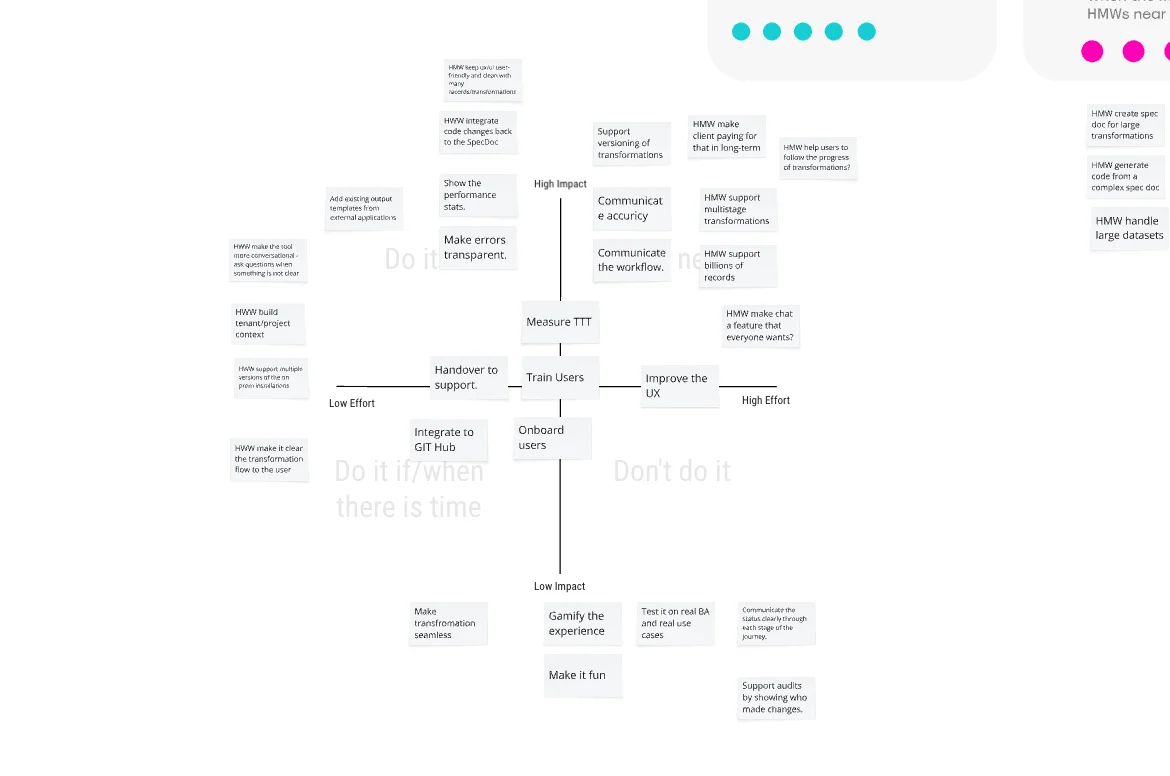
Key goals:
- Define UX for self-service SaaS
- Enable user-created transformations
- Simplify complex workflows
- Support non-technical users
Outcome:
- SaaS UX direction defined
- Step-based workflow introduced
Prototyping
Following the sprint, I created a low-fidelity prototype using a wizard-style workflow that broke the transformation process into clear steps.
We tested it with 5 users across both target segments and refined the flow based on feedback.
Outcome:
Defined a clear transformation workflow and validated the concept with users, creating a solid foundation for the high-fidelity design phase.
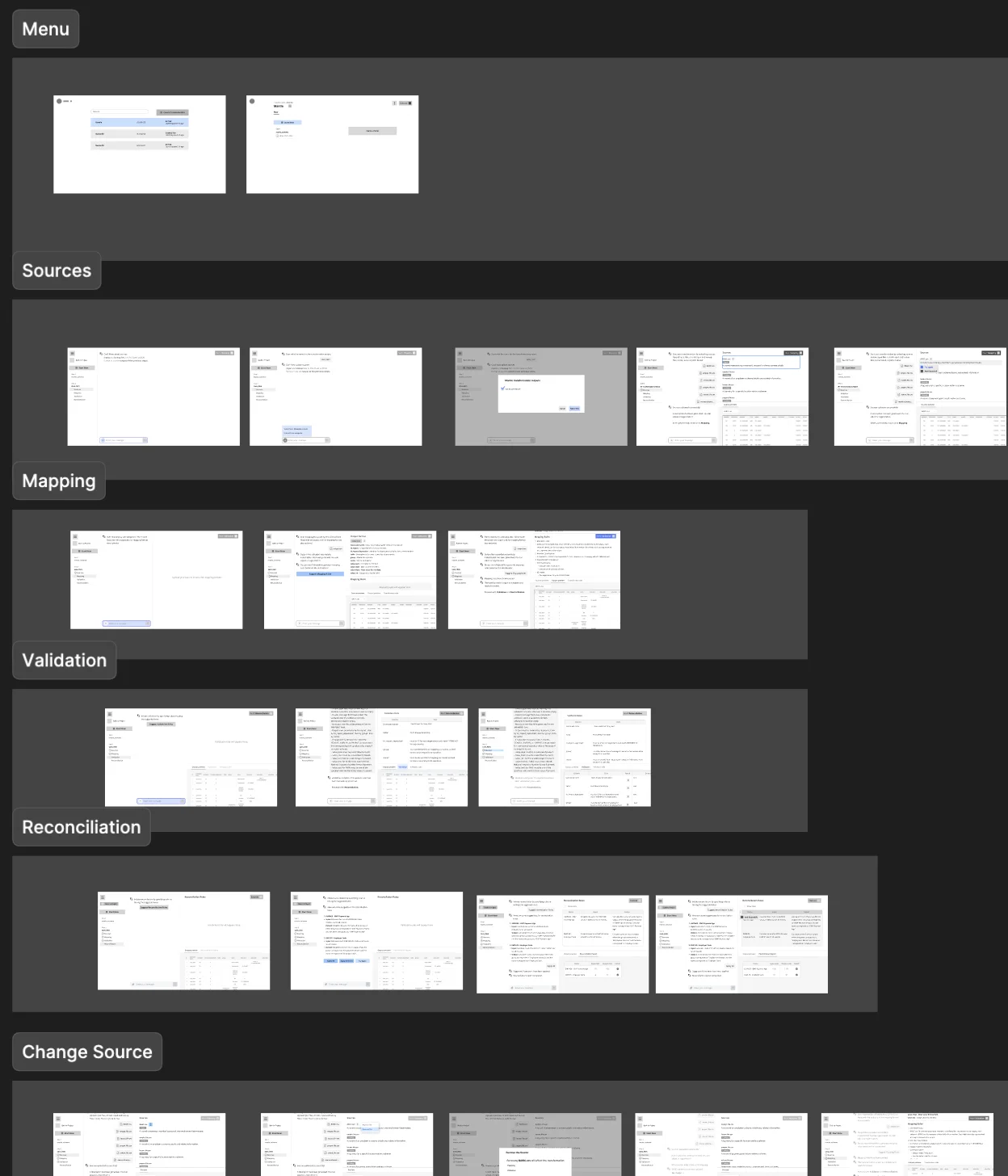
The prototype guided users through key stages:
- sources
- mapping
- validation
making the process easier to understand and modify.
Bringing it to life
Design system
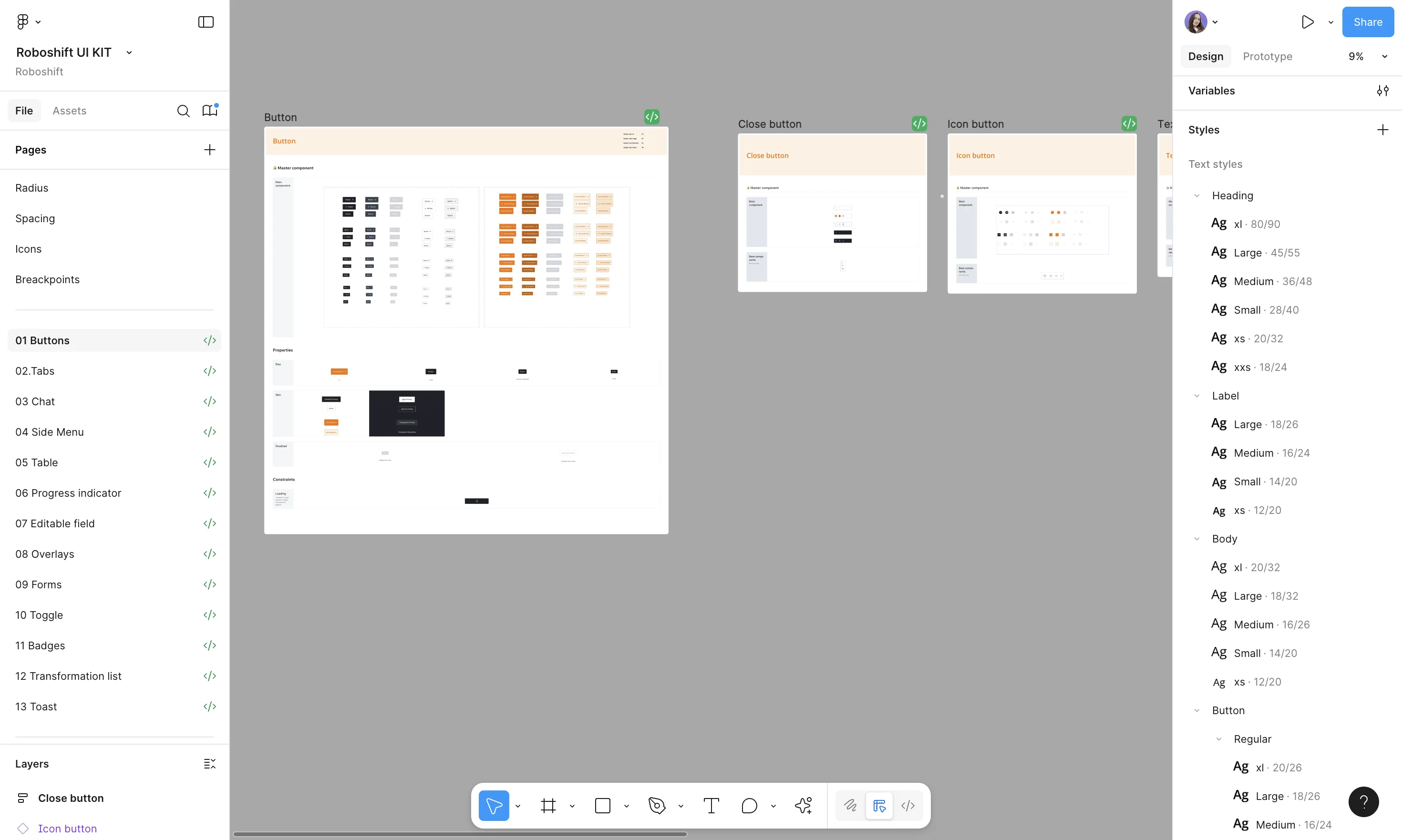
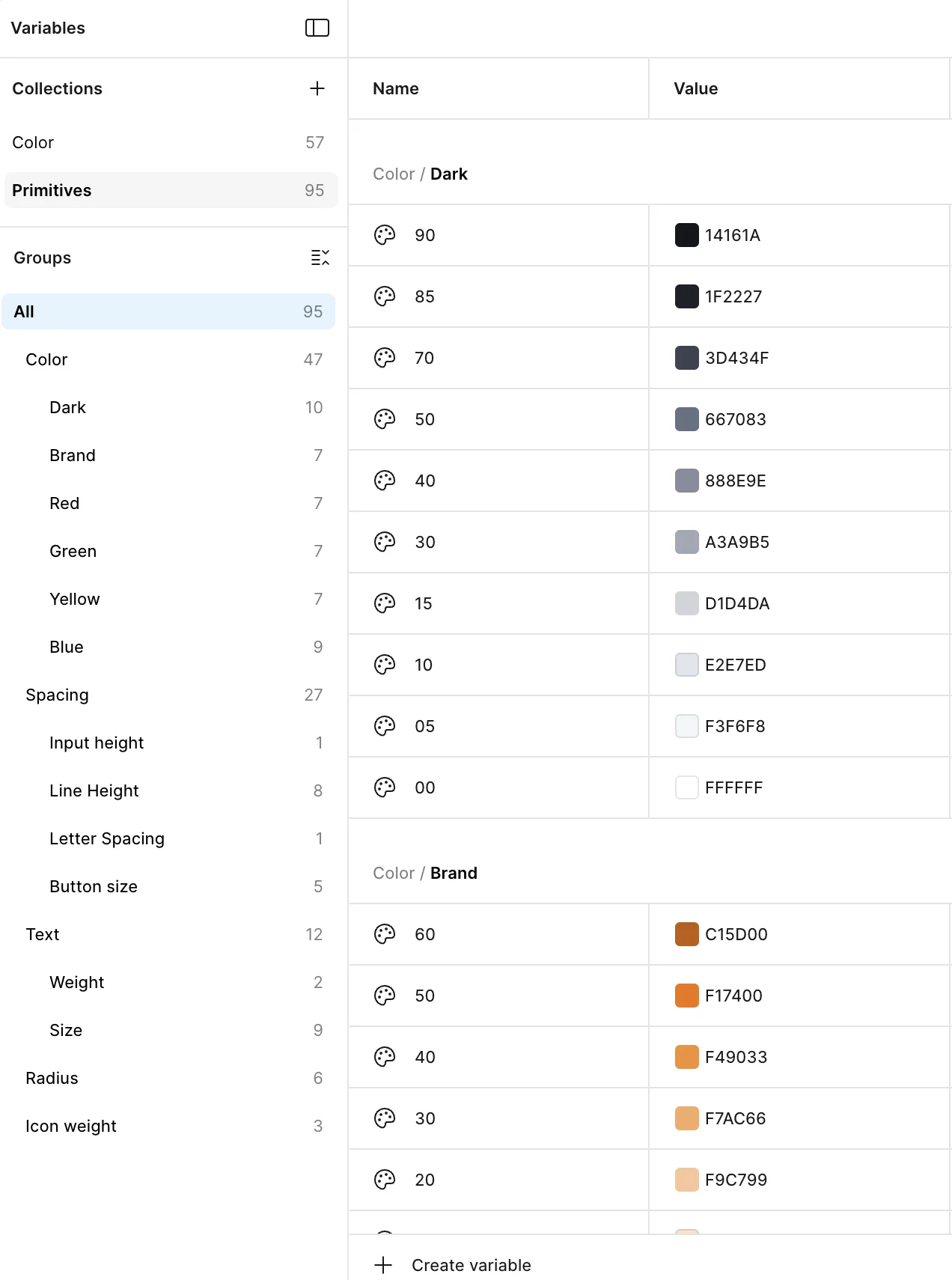
As the product grew, UI consistency became important. I created a token-based design system and separated it into a dedicated design system file. Working closely with the frontend developer, we also implemented the system in Storybook to ensure consistency between design and development.
Components
After defining design tokens, I created a set of reusable UI components to support the new SaaS platform. Working together with the frontend developer, we implemented the components in Storybook to keep design and development aligned.
Outcome:
A consistent and scalable component library that accelerated product development.
Transformation workflow
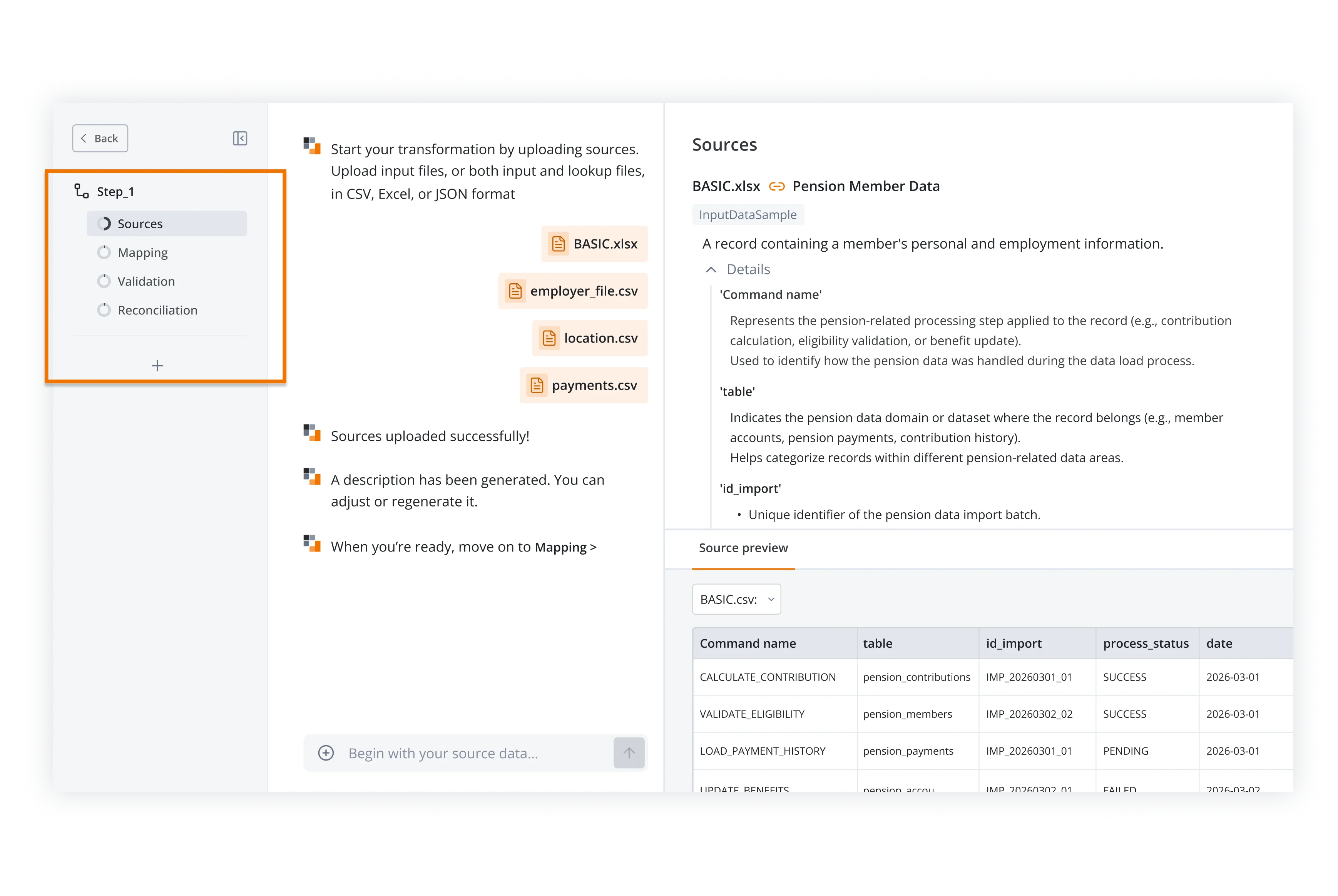
The transformation process was redesigned as a clear step-by-step workflow. Users create a transformation by going through several stages: Sources → Mapping → Validation → Reconciliation
Breaking the workflow into steps helped users better understand what was happening at each stage.
Outcome:
Enabled a clear, self-service workflow, supporting the goal of turning the internal tool into a scalable SaaS platform.
Improving navigation & visibility
To support a growing number of workflows, we introduced clearer navigation across the platform. Users can now access a list of all transformations, making it easy to find and manage existing workflows.
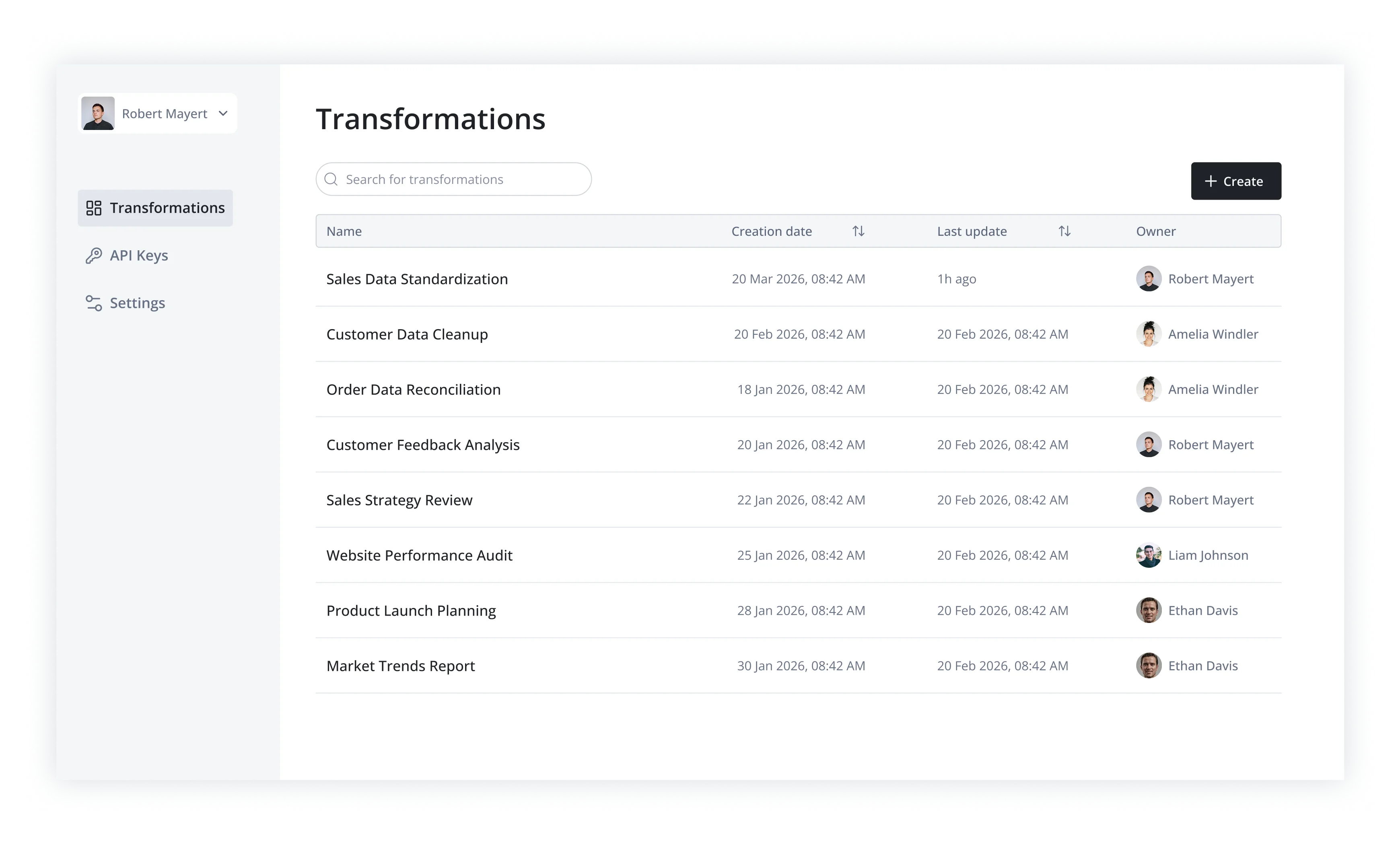
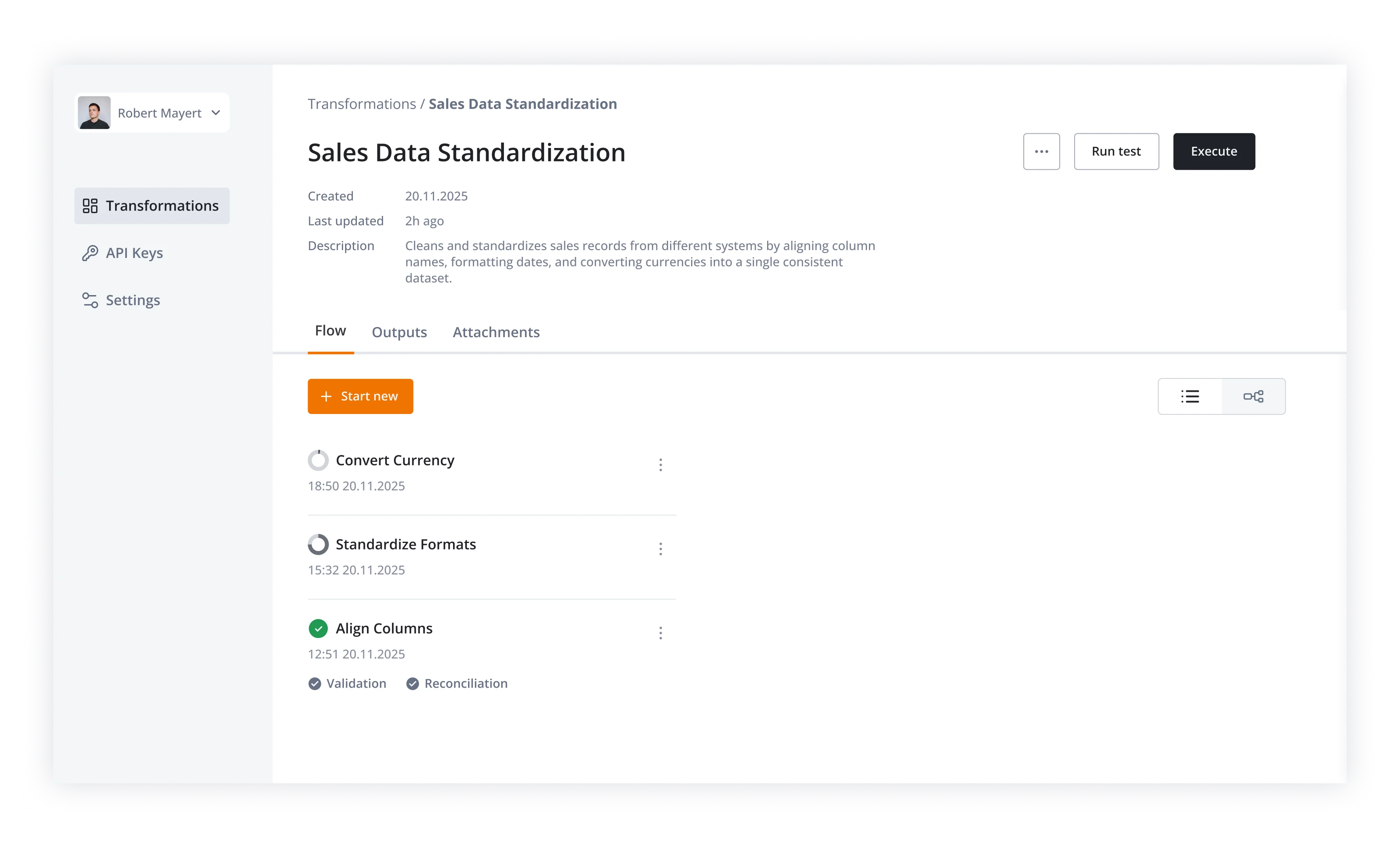
Each transformation also has a dedicated overview page with tabs for different stages of the process, helping organize complex configurations and allowing the product to scale as more features are added. Since one transformation can include multiple sub-transformations (linear or parallel), we also introduced a status list to track their progress.
Outcome:
Improved navigation and visibility, making it easier to manage transformations and supporting the goal of building a scalable SaaS platform.
Ask Roboshift
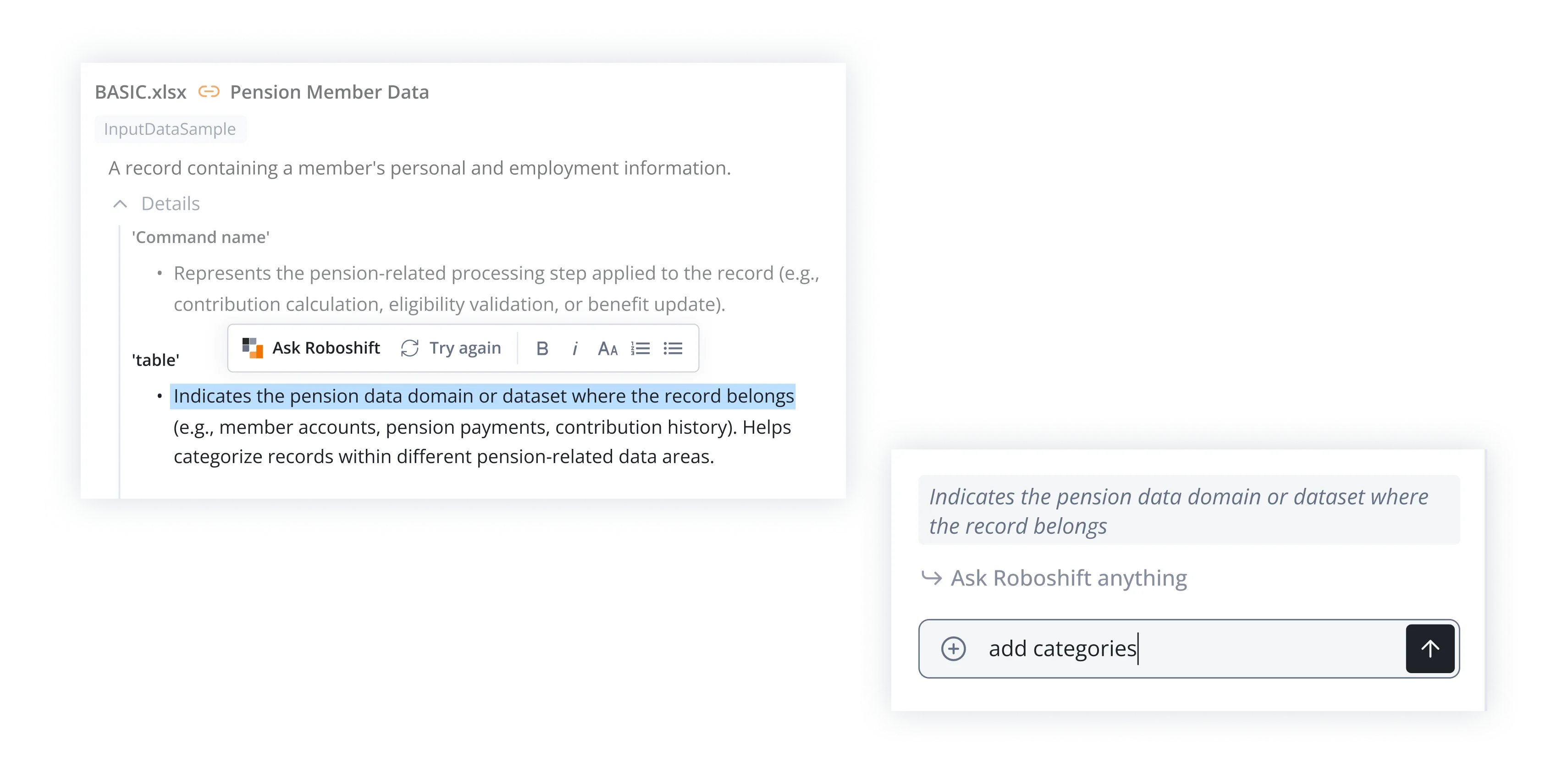
Ask Roboshift was designed as an AI-assisted feature to help users work with transformation specifications more easily. Users can select a part of the spec document and ask Roboshift to modify or improve it directly, similar to AI-assisted editing tools. This would allow users to adjust rules, mappings, or validation logic without manually rewriting configurations.
Outcome:
The concept aimed to simplify complex configuration tasks and support the goal of making the SaaS platform easier to use for non-technical users.
Executor UX
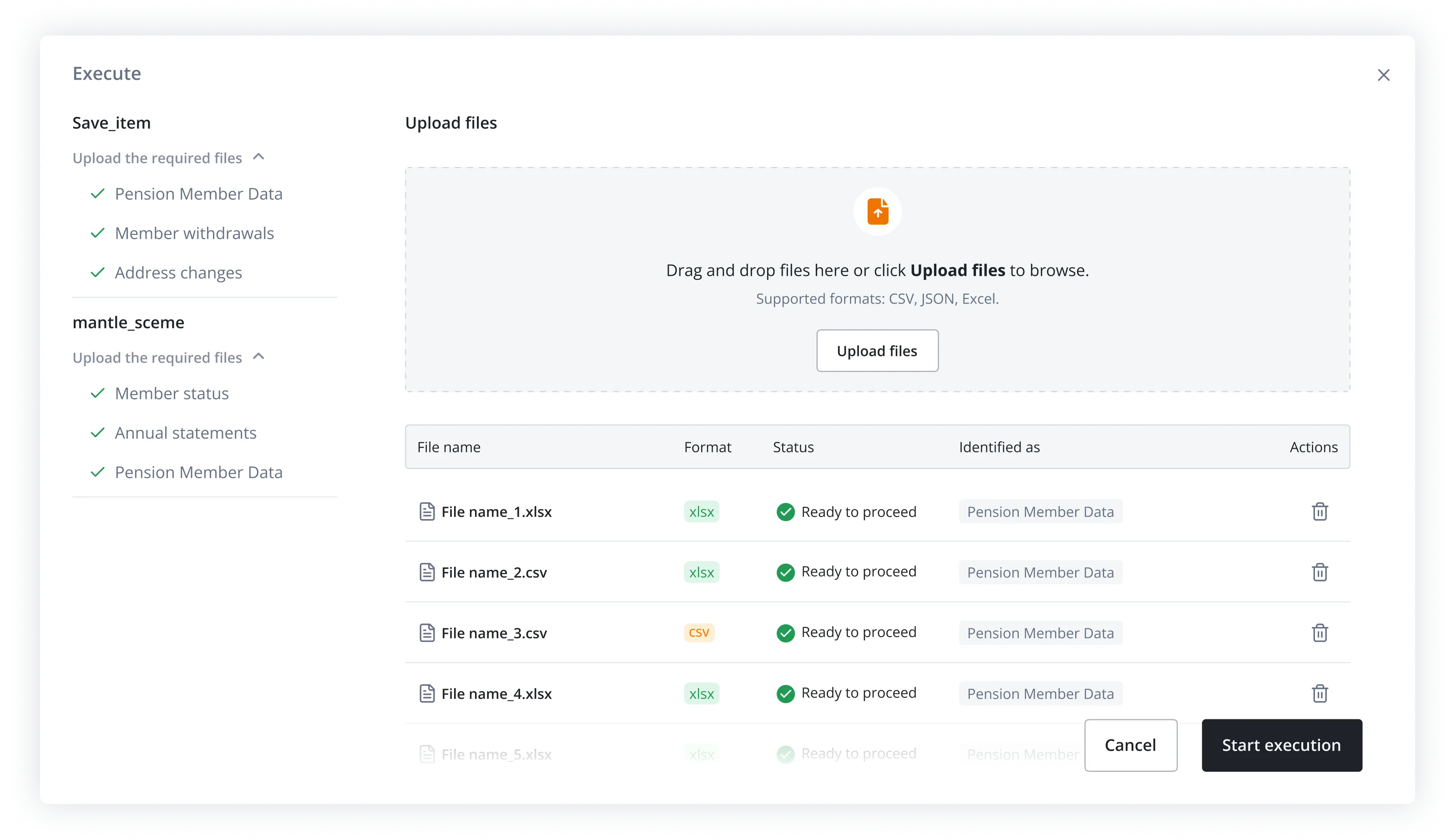
Finally, we updated the executor flow and interface to match the new platform structure. This improved error handling, validation visibility, and overall usability of the execution process. The executor simplified the final stage of the workflow, allowing users to upload files, validate data, and export the transformed results in a clear and controlled way.
Outcome
Final outcome
- Internal tool → scalable SaaS platform
- Clear step-based workflow
- Improved navigation and visibility
- Designed 40+ flows and interaction states across the transformation experience
- Scalable design system
Key learnings
- Structure reduces complexity
- AI should support, not replace workflows
- Scalable UX needs clear architecture and design systems
Reflection
If I continued working on the product, I would explore:
- Improving onboarding for new users
- Enhancing AI guidance during transformations
- Making error handling more actionable and clear